Mobile Driver’s License Verification for Law Enforcement: Faster, Safer Roadside ID Checks
When an officer pulls a driver over, identifying that driver still means inspecting a physical license by hand and typing the details into an in-car tablet. That manual data entry is slow, and every second spent looking down at a keyboard is a second the officer is not watching the driver or traffic. Automating ID verification by enabling mobile driver’s licenses (mDLs) acceptance on the same in-car hardware removes that burden: the credential is read and verified in seconds, and the details populate the report automatically. Less typing means less time roadside and more attention on the scene.
May 2026Manual ID Entry Consumes Most of Every Stop
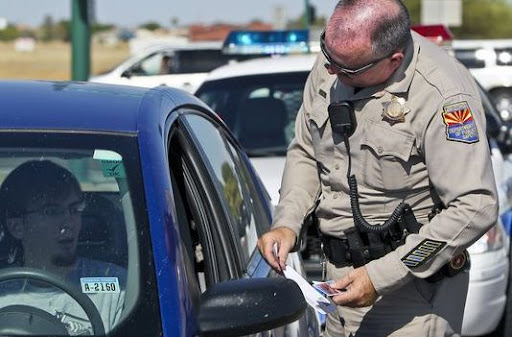
Whether on a busy highway or a city street, roadside identification is still a manual process built for physical cards. The officer takes the license back to the cruiser and transcribes name, date of birth, license number, and address into the in-car tablet before any citation, crash report, or dispatch entry can begin.
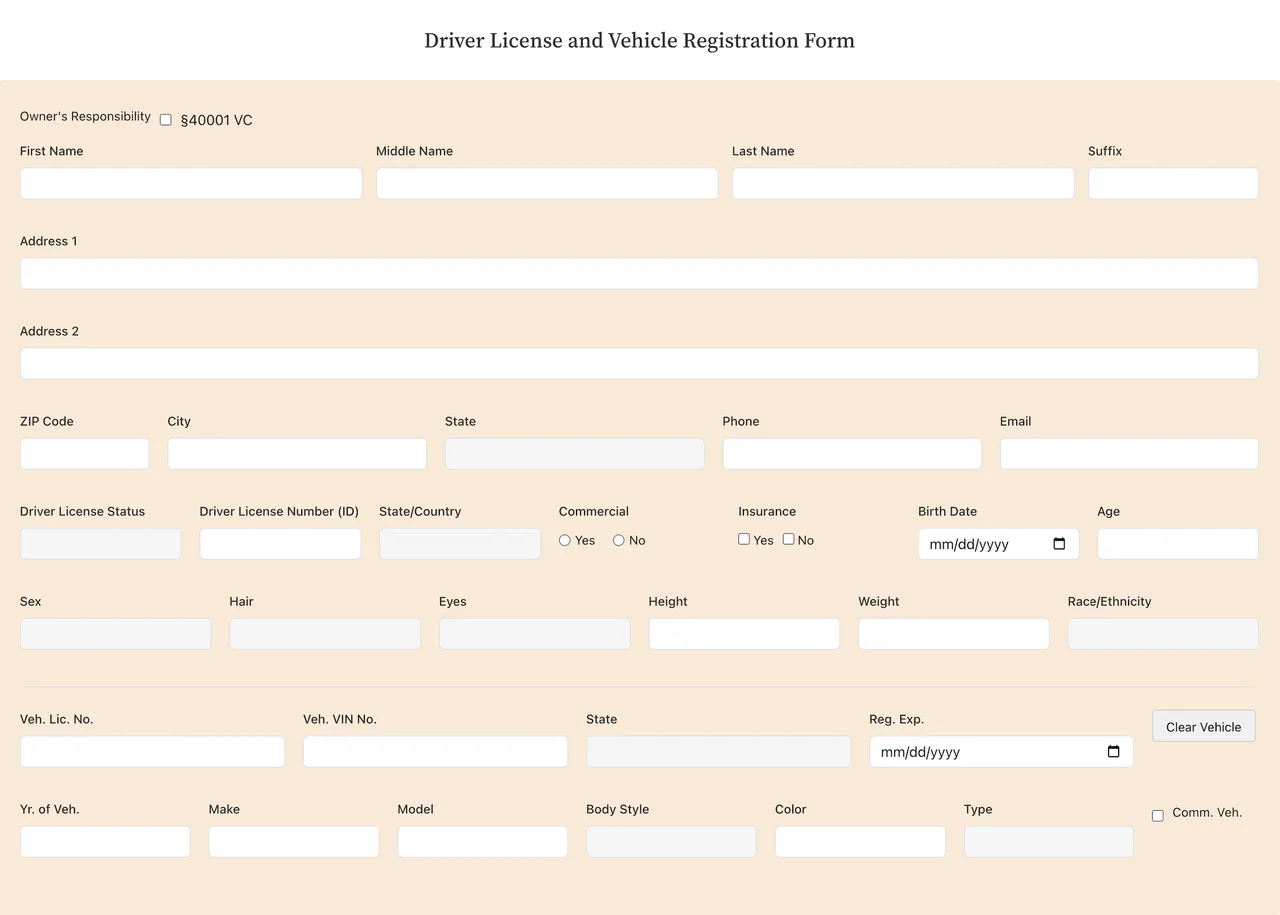
Every stop also means entering a long list of credential details by hand. A single car-and-driver check can include up to 30 fields, and every one is read off the card and typed in manually.
Of traffic stops last between 1 and 15 minutes, with most of that time spent on data entry.
(Pennsylvania State Police Traffic Stop Study, 2023)Typical manual data entry error rate, rising under fatigue, time pressure, and poor environmental conditions.
(Clinical and operational data entry research)Data entry fields per car-and-driver combination on the in-car tablet, all filled in manually.
The Limitations of the Manual ID Verification Workflow
Reading and typing every detail by hand creates three recurring problems, and they get worse under real field conditions:
- Time on Every Stop: Transcribing name, date of birth, license number, and address by hand lengthens every stop and delays the citation, crash report, or dispatch entry that follows.
- Transcription Errors: Manually entered data carries a known error rate that rises under fatigue, time pressure, and poor conditions, and a single wrong digit can compromise a citation, warrant check or report.
- Illegibility in the Field: Faded print, low light, glare, rain, and worn cards all force the officer to work harder to read details accurately, slowing the stop further and increasing the chance of a mistake.
Mobile IDs Are Already Here
The credential is changing. Mobile driver’s licenses (mDLs) are now live in 21 U.S. states plus Puerto Rico, and drivers increasingly carry them in Apple Wallet, Google Wallet, Samsung Wallet, or a state app. Most in-car tablets and handhelds were not built to read them yet, so officers still fall back to the physical card. Accepting mDLs is the shift that turns the manual stop into an automated one.
Automating Roadside ID Verification for Physical IDs and Mobile Driver’s Licenses
Automating physical ID checks and enabling mobile driver’s license (mDL) verification on the in-car tablets and handhelds officers already use removes the manual entry that drives most of the time spent on every stop. The same devices read both mDLs and physical IDs and autofill the citation, crash report, or dispatch entry directly, and the driver’s phone stays in their possession at all times.
Two field scenarios cover most of how this rolls out in practice:
Remote ID Verification
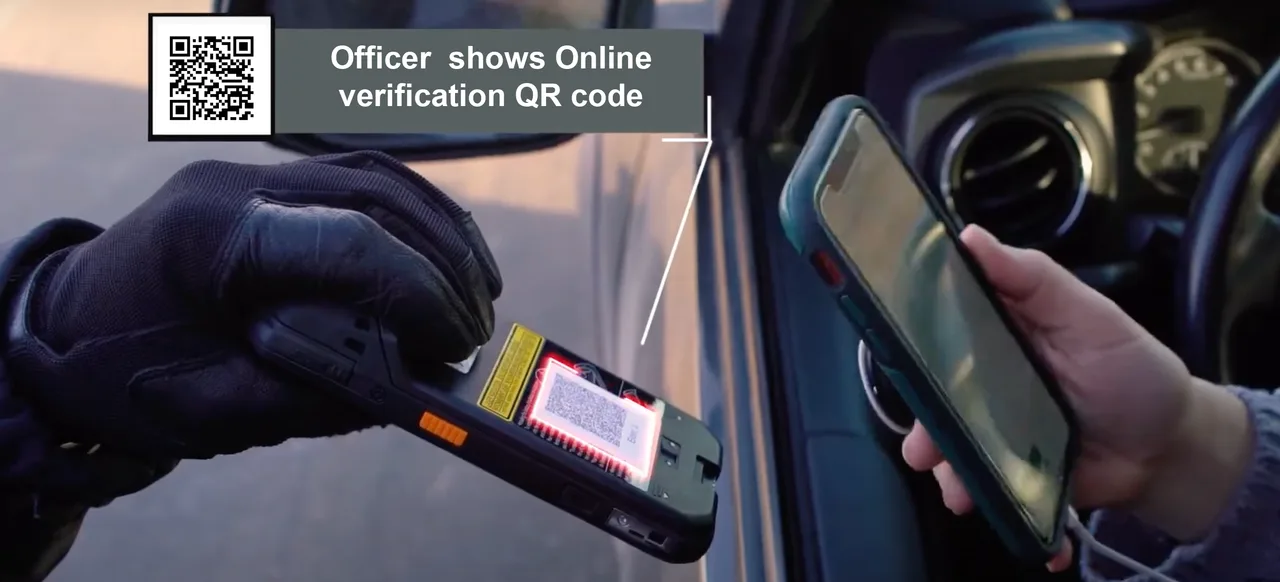
A highway patrol officer pulls the car over and walks up to the driver.
The officer presents a QR code for the driver to scan using their phone. This initiates the request for the ID information to be transferred to the officer.
The driver reviews the requested information and gives consent for it to be securely transferred.
The verified data automatically fills the required fields in the officer’s tablet.
This remote flow runs on the Tap2iD™ Cloud SDK, so an agency can add mDL acceptance to the Windows tablets officers already carry. For law enforcement, that means:
- No new hardware needed: mDL acceptance rolls out across an entire fleet through software, not a device purchase.
- Faster, safer stops: verified data autofills the citation, crash report, or dispatch form, so officers spend less time heads-down at the keyboard and more time situationally aware of the scene.
- Built-in fraud protection: the credential is cryptographically signed by the issuing DMV, so altered or counterfeit IDs fail the check.
- Privacy by design: selective disclosure shares only the fields the officer requests, never the entire credential, and the phone stays in the driver’s hand.
Upgrade Existing Handheld ID Devices
Officers who prefer a more direct interaction, or who work in areas with limited cellular connectivity, can update the rugged handhelds or fingerprint readers their unit already carries into a combined reader for both physical IDs and mobile driver’s licenses (mDLs). The existing handheld needs to include at least one of NFC, a camera, or a barcode scanner.
A highway patrol officer pulls the car over and walks up to the driver.
The officer reads the credential on the handheld: a physical license barcode, or an mDL by NFC tap or QR.
The verified data automatically fills the required fields on the officer’s device.
This runs on the Tap2iD™ SDK, turning a handheld an agency already carries into a combined reader for physical IDs and mDLs. For law enforcement, that means:
- Works fully offline: verification keeps working in cellular dead zones, with no connection required.
- One device for both: the same handheld reads physical licenses and mDLs, so there is nothing extra to carry.
- Built-in fraud protection: for mDLs, the DMV-issued cryptographic signature confirms the credential is genuine and rules out forged digital IDs.
- Privacy preserved: selective disclosure shares only the fields the officer requests, and the phone stays in the driver’s hand.
What Changes at Every Stop
Take the typing out of every stop and the rest follows.
- Less time per stop. Verified data autofills the citation, crash report, or dispatch form, so an ID check drops from minutes to under a minute.
- Fewer errors. Details come straight from the credential as structured fields, so no more typos or misread cards.
- Officers stay heads-up. Less time looking down at a keyboard means more attention on the driver and the scene.
- Fake IDs cannot pass. Each mDL is digitally signed by the issuing DMV, so a counterfeit fails the check.
- Privacy by default. The phone stays with the driver, and selective disclosure shares only the fields the officer asks for.
- Works on existing gear. Both workflows run on the tablets and handhelds officers already carry, even offline in dead zones. No new hardware or training.
Tap2iD lets an agency accept mDLs today, with no new hardware, no new training, and no extra steps at the roadside.
Faster Stops, Safer Officers
Accepting mobile driver’s licenses speeds up every stop and keeps officers focused on the scene, not the keyboard. See how Tap2iD fits into the citation and records software officers already use.
Frequently Asked Questions
Can you show police a mobile driver's license at a traffic stop?
Yes. In states that issue mobile driver's licenses (mDLs), a driver can present one from Apple Wallet, Google Wallet, Samsung Wallet, or a state app at a traffic stop. With the right software, the officer reads it from their own in-car tablet or handheld, and the driver's phone stays in the driver's possession the entire time.
How does an officer verify a mobile driver's license is genuine?
The mDL is cryptographically signed by the issuing DMV, so the officer's device confirms the signature is valid and the credential has not been altered. The driver consents on their own phone, and through selective disclosure only the requested fields, such as name, date of birth, license number, and address, are shared. A forged or screenshotted credential fails this check.
Which states support mobile driver's licenses for law enforcement?
Mobile driver's licenses are live in 21 U.S. states plus Puerto Rico, with more rolling out through 2026 and 2027. See the current list on the mDL State Tracker.
Related Resources
How to Verify a Mobile Driver’s License
NFC tap vs QR code vs cloud verification, explained simply.
Read articleResourcemDL State Tracker
An up-to-date map of where mDLs are live and where they are coming next.
View trackerProductTap2iD™ Cloud SDK
ISO 18013-5 mDL verification through Cloud and Device SDKs, built for field deployment.
View product